English shadowing
with any YouTube video
Sada is a free shadowing app that runs in your browser. Pick a YouTube video with captions, hear each line from a real speaker, say it along with them or right after, and get an honest word-by-word score. Nothing to install, no account, and speech recognition runs on your device.
How it works
- Paste a YouTube link or pick a famous talk. Sada splits the video into short lines from its captions.
- Listen and copy. Shadow mode: speak at the same time as the speaker. Repeat mode: hear the line, then say it. Slow it to 0.75× when you need to.
- See the difference. Which words were heard, which you missed, how many seconds behind the speaker you were — then play your take side by side with the original.
Why Sada
- Free, really. No card, no trial, nothing to cancel.
- No account, no extension. Works in Chrome or Safari on your phone or computer.
- Private. Your recordings are saved in your browser and scored on your device. They are never uploaded.
- Honest scores. A missed word shows red; a late start shows in seconds.
- Arabic or English interface. Written by hand in both.
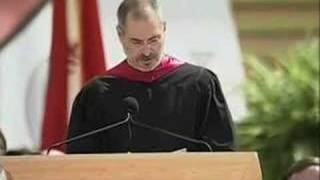
Start with a famous talk



Questions people ask
Is Sada free?
Yes, completely, with no limits, card or account.
Does it work on a phone?
Yes, in your phone’s browser. The first time, it downloads a speech-recognition model once (about 250 MB), so Wi-Fi helps.
Which videos can I use?
Any YouTube video with captions, written or automatic. If a video has none, you can paste its transcript from YouTube’s “Show transcript” panel.
Is my voice uploaded?
No. Listening to your take and scoring it happen inside your browser.