Shadow any YouTube video, in your browser
Sada lets you shadow any captioned YouTube video for free: paste a link, practise one caption line at a time, record yourself and compare your recognised words and timing with the original speaker. YouTube shadowing means speaking along with a YouTube video while following the speaker’s words and rhythm.
Key facts
- Any captioned YouTube video
- No extension, works on phone and computer
- No account needed to practise; a free, optional account keeps your history on every device
- Free, no paid plan
- Recordings stay on your device
- Repeat and Shadow modes
- Word recognition and timing feedback (not per-sound grading)
Bring your own captioned video
In a YouTube watch URL, replace youtube.com with sadaspeak.com, keeping the video ID and any start time. For example, youtube.com/watch?v=-SOVLf-g0ZM&t=140 becomes sadaspeak.com/watch?v=-SOVLf-g0ZM&t=140. This opens the starter’s video at the same sentence.
The video needs usable captions and must allow playback in Sada. You can also paste a YouTube link into your library. Prefer ready sentences? Try the short-to-long listen-and-repeat exercises.
Repeat: speak after the line ends. Shadow: speak along with the speaker. Loop: replay the line to hear it again; looping alone does not record your voice. For the two ways explained in Indonesian, read Teknik Shadowing Bahasa Inggris.
How to shadow a YouTube video with Sada
- Open an exercise from this guide. Choose a captioned video for this guide’s topic and a line whose meaning you understand.
- Listen and read the caption, then say the line after the speaker in Repeat mode.
- Try saying the line with the speaker in Shadow mode, following the rhythm and pauses.
- Record a take, then open Compare and play your recording and the original. Review words and timing; Sada does not grade individual sounds.
- Repeat the line while focusing on one difference you heard, then move to another line.
Good videos to start with
Each talk opens on one short line in Repeat mode. Say it after the speaker and compare; then Next sentence from the guide opens the next talk’s line in one tap.
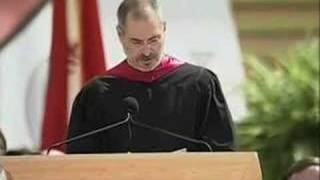 Steve Jobs — Stanford Commencement AddressFirst line: “Today I want to tell you three stories from my life. That's it.” · clear, steady speech
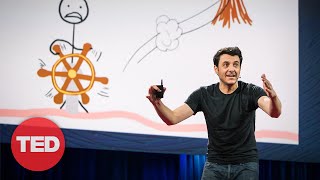 Tim Urban — Inside the Mind of a Master ProcrastinatorFirst line: “So in college, I was a government major, which means I had to write a lot of papers.” · funny, natural pace
 Ken Robinson — Do Schools Kill Creativity?First line: “I've been blown away by the whole thing.” · British English
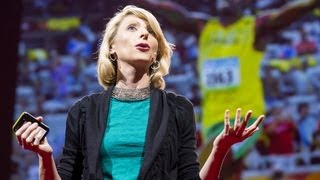 Amy Cuddy — Your Body Language May Shape Who You AreFirst line: “So how many of you are sort of making yourselves smaller?” · American English
YouTube channels that work well for shadowing
Channels made for learners suit shadowing: clear speech, short sentences and captions. Each card opens one line from that channel’s own video, ready to say after the speaker. To keep going, paste another video from the same channel into Sada.
- VOA Learning English — an A1–A2 line, captions written by people. Opens on “Do you like to knit or sew?” from Sew and Knit, Adverbs, Yellowstone, Open Boat 2. Practise this line
- Learn English with Bob the Canadian — an A1–A2 line, captions written by people. Opens on “What food don't you like?” from Talking about Likes and Dislikes in English - A Real English Conversation with Bob and Jen. Practise this line
- BBC Learning English — an A2–B1 line, captions written by people. Opens on “What do you like about airports?” from I enjoy flying but airports are stressful | Improve your listening with Real Easy English. Practise this line
- Speak English With Vanessa — an A2–B1 line, automatic captions. Opens on “That was very kind of him.” from Order COFFEE in English: Daily Life English. Practise this line
- TED-Ed — a B1 line, captions written by people. Opens on “So, remember to be kind to yourself.” from 4 ways to fix your attention span - Shannon Odell. Practise this line
Levels are our estimate for each line. Captions written by people are the most reliable; automatic ones work too. A channel’s other videos may not allow playback in Sada or may have no captions.
Want to sound like someone in particular?
Pick the official video of a speaker, actor or show you admire from shadow the person you want to sound like, or paste its link into Sada and practise it the same way. For films and TV shows, start with the short lines in learn English with movies and TV shows.
Which YouTube videos work best?
- One clear speaker at a time: talks, interviews, vlogs and lessons work better than films with music underneath.
- Written captions are best; automatic ones work too, and also let Sada measure your timing word by word.
- Pick a minute you mostly understand. If you miss more than half the words, the video is ahead of your level for now.
Captions will not load?
If YouTube offers Show transcript, copy its timestamped transcript and paste it into Sada’s transcript field. This only helps when a transcript exists; Sada does not create captions for an uncaptioned video. If no transcript is available or playback is blocked, choose another captioned video or use the ready starter above.
New to shadowing? Read how the technique works. To know what to listen for when you play your take beside the speaker, see how to record yourself and compare.
Today’s speaking challenge
One real sentence a day, the same for everyone, and three rounds to say it. Only the words the app recognises count. Free, no account.
Questions people ask
Do I need a Chrome extension?
No. Sada is a website, so it works in any modern browser, including on phones.
Is there a shortcut from YouTube to Sada?
Yes. Change youtube.com to sadaspeak.com in the video’s address, for example sadaspeak.com/watch?v=UF8uR6Z6KLc, and Sada opens the video if its playback and captions are available.
Can I slow the video down?
Yes. Practise at 0.75×; your take remembers the speed, so a slow take is scored against the slowed-down speaker.
Is there a YouTube shadowing app for iPhone or Android?
Sada works in Safari on iPhone and Chrome on Android without installing anything. You can add it to your home screen from the browser’s share menu.
Practise again tomorrow? Get one short sentence a day, ready to record in one tap.
You don't need to speak fast.
A slow line to begin with: listen to how “don’t need to” runs together, then say it at the speaker’s pace.
Free · One email a day · Unsubscribe anytime. Confirm your email to start. We keep only your email, language, time zone and where you signed up.